
Telegram is a good capture channel, not a complete filing system
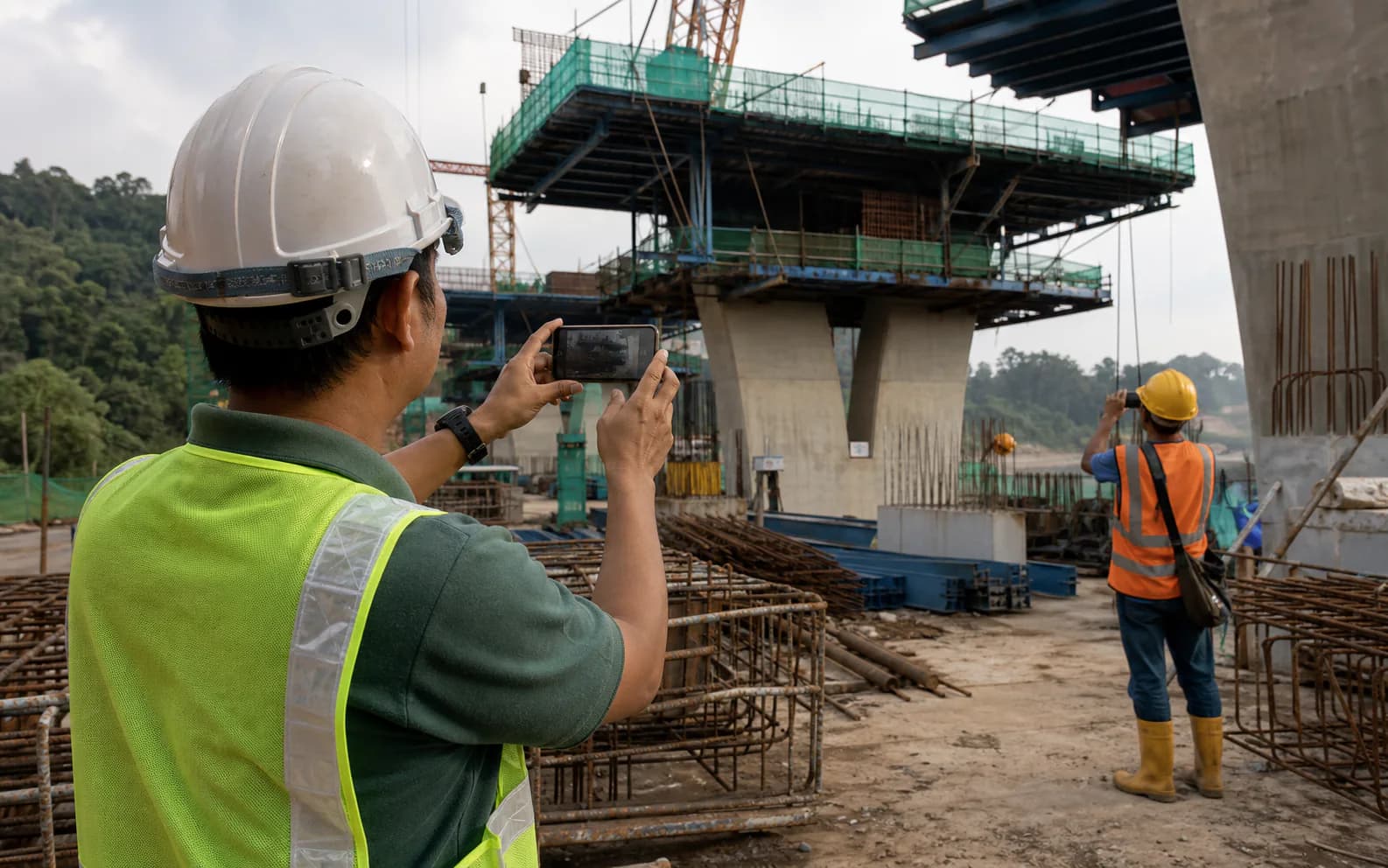
On site, speed matters. A supervisor can post a message, photograph, video, file or voice note without walking back to the site office. Telegram groups can also use topics and granular admin permissions. That makes the channel practical for field capture.
The problem appears later. “Level 3 done” may make sense at 4:40 pm to everyone who was there. Six weeks later, it does not say which grid, activity, drawing revision, quantity, inspection status or work crew was involved. The photograph may be impossible to place, and the instruction may be mixed with lunch orders and general chat.
Keep the behaviour that works—fast posting from a phone—but add a short reporting format, a project boundary and a review step.
A five-step daily reporting workflow
- Capture from the work front. The supervisor posts progress, resources, constraints, inspections and photographs while the facts are fresh.
- Organise by date and activity. Each update keeps its sender and timestamp, then links to the correct project, location and programme activity.
- Resolve gaps. The site or project engineer asks short follow-up questions before the shift ends: Which grid? Which drawing? Was the WIR accepted? Is the constraint still open?
- Prepare the daily report. Summarise work done, manpower, plant, deliveries, weather, inspections, instructions, delays and safety matters without deleting the original evidence.
- Review and approve. The project manager checks wording and facts. Until approval, the report stays a draft.
CIDB’s construction-industry competency material recognises site diaries, daily or weekly construction reports, photographs, meeting records, RFIs, logs, resources, instructions and approvals as part of project correspondence and records. The point is not to force every item into one message; it is to keep the links between them.
Try the daily record before changing the reporting workflow.
Use the free browser template to see the information a project manager still needs to review.
Open the daily report templateA field update your team can copy
Keep the format short enough to use with muddy boots and a phone in one hand. Here is a practical example:
Block B · Level 3 · Grid C–D
ACTIVITY / PROGRAMME REF.S3-REBAR-020 · slab reinforcement fixing
PROGRESS / RESOURCESApprox. 70% complete · 8 steel fixers · 1 mobile crane
QUALITY / INSPECTIONM&E sleeve check pending · WIR planned 3:00 pm
CONSTRAINT / NEXT ACTIONAwait revised sleeve setting-out from M&E coordinator by 1:00 pm. Foreman to continue Grid D meanwhile.
EVIDENCEAttach one wide context photo + close-up of sleeve conflict · drawing S-203 Rev C
Do not turn the template into a long form. If the work front is normal, a compact update is enough. When there is a safety incident, NCR, instruction or possible delay event, follow the project’s formal procedure and create the separate controlled record it requires.
Take progress photos that answer “where, what and when”
Start wide
Take a context photograph showing the work front, nearby grid or elevation, and a recognisable fixed feature. Then take the close-up. Ten detail photos with no context are often less useful than one wide image and two deliberate details.
Write a factual caption
Use location + activity + status + direction where useful: “Block B, L3 Grid C–D—top reinforcement fixed to slab S3, view facing north, before M&E sleeve inspection.” Avoid captions such as “problem,” “done” or “as discussed”.
Do not use photographs as the only record
A photograph may show a physical condition but not the instruction, responsible party, programme effect or action taken. Link it to the relevant RFI, WIR, NCR, site instruction, drawing and event entry.
Use the references your project team already recognises
- Programme activity ID: connects progress to planned dates, logic and reporting cut-off.
- Drawing and revision: prevents the image or update being read against superseded information.
- RFI: Request for Information where clarification is formally sought and answered.
- WIR or inspection request: records the quality hold point and inspection outcome under the project procedure.
- NCR: Non-Conformance Report for work that does not meet the specified requirement.
- Site instruction: use the exact reference and issuer; do not treat an informal chat comment as authority to vary the work.
- Delivery order or material lot: useful for long-lead items, traceability and installed-material records.
Terminology varies between organisations. Publish a one-page project glossary so the group uses the actual document codes, work-breakdown structure and location names for that job.
Set the group rules before the first busy day
- Create one controlled reporting group or topic per project; keep social conversation elsewhere.
- Name the group clearly and pin the reporting template, emergency rule and escalation contacts.
- Define who may add members, post instructions, edit messages and approve daily reports.
- Require staff to report a lost device or role change promptly and remove access when someone leaves the project.
- Decide how records will be exported and retained at milestones and project close-out.
- Do not post personal data, sensitive commercial information or security-critical drawings unless authorised by company policy and the project.
- Keep original sender and timestamp data. If wording is corrected in a report, preserve the source update.
Telegram’s own FAQ explains group permissions, admin controls, topics and file sharing. Those features help with channel management, but the contractor remains responsible for its own access, confidentiality, retention and document-control procedures.
Common mistakes—and the small fix for each
- “Today work progress.” Add the activity, work front and measurable status.
- Twenty uncaptained photos. Post a context image first and caption the important details.
- Voice notes only. Transcribe important facts and verify names, quantities and references.
- Instructions mixed with updates. Link to the formal instruction and keep authority clear.
- Manpower as one total. Break it down by trade or subcontractor when productivity or delay analysis may matter.
- Edited report replaces the evidence. Keep both: original field update and PM-approved report.
- No end-of-shift check. Resolve missing locations, drawing revisions and inspection results while the site team is still available.
Questions site teams ask
Can Telegram replace a construction daily report?
Telegram can be the field-capture channel, but the chat itself is not a controlled daily report. Project teams still need to organise, review and approve the relevant facts under their document-control procedure.
What should a site supervisor include in a progress update?
At minimum: project or work front, activity, location, progress achieved, labour and plant, constraint or inspection status, next action and useful photographic evidence.
How many progress photos should be posted?
Use enough photographs to establish context and detail without flooding the record. A practical minimum is one wide context image and one close-up, each captioned with location and subject.
Should voice notes be allowed?
They can help when hands are busy, but important facts should be transcribed, checked and linked to the correct date and activity. Do not leave key instructions buried only in audio.
References used
- Telegram FAQ—official information on groups, permissions, topics and file sharing.
- CIDB Construction Industry Competency Standard material—includes site diaries, daily/weekly reports, photographs, RFIs, logs, resource records and instructions among project records.
When an update describes a delay
Open a separate event entry and follow the contract’s notice procedure. The EOT delay-record guide explains how to connect site facts, programme activities, mitigation and contractual records without asking the supervisor to make an entitlement decision.
Use the field channel your team already understands.
Rangka.co organises Telegram messages, photos and voice notes by project and date, prepares a daily report draft, and keeps approval with the project manager.
Create your account